
Email Marketing for Restaurants: A Playbook That Fills Tables

Email still delivers the best ROI for restaurants when you own a permission-based list, set three automations, and segment by guest behavior. It outperforms social media because you control the delivery and timing instead of fighting a platform’s algorithm.
Do these three things in the next 72 hours: add a QR code signup at every table and on receipts, turn on welcome, birthday, and win-back automations, and commit to a twice-monthly newsletter. Watch one number closely over the next 90 days.
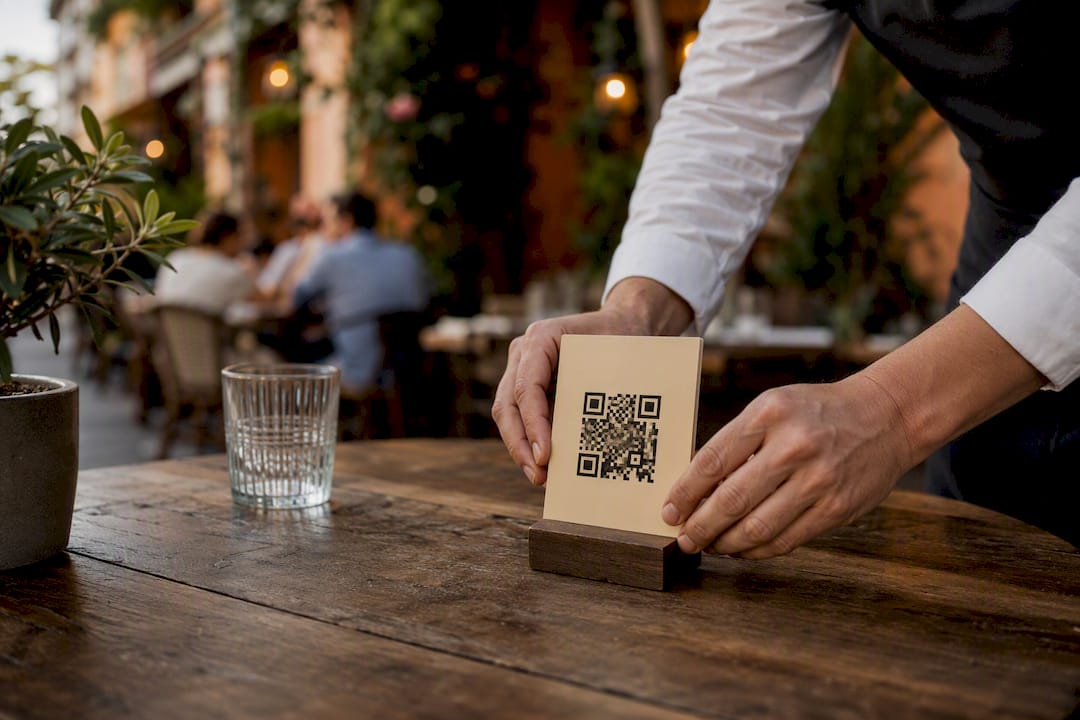
Add a table-tent or receipt QR code that captures email at checkout or checkin
Turn on three automations: welcome, birthday/anniversary, and win-back
Send a newsletter twice a month, no more, no less, to start
A modest, engaged list of around 1,000 diners can generate roughly $10,000 in attributed annual revenue once those automations are running, not from one-off blasts. That single metric, revenue directly attributed to email, tells you faster than opens or likes whether the channel is earning its place in your marketing mix.
Key Takeaways
Email marketing works for restaurants when owners build a permission-based list, automate three core flows, and message specific guest segments instead of blasting everyone the same offer.
Point | Details |
Capture email at the right moment | Use QR codes on tables and receipts, plus reservation and checkout opt-ins, rather than a passive website form. |
Automate three flows first | Set up welcome, birthday, and win-back sequences before adding any other automation. |
Send on a twice-monthly cadence | Time weekend-focused promos for Thursday evening or Friday around 6 PM when guests plan their plans. |
Segment before you personalize | Build frequent-diner, lapsed, birthday-month, and loyalty segments before writing a single campaign. |
Protect deliverability first | Authenticate your domain with SPF, DKIM, and DMARC, and never email a purchased list. |
Table of Contents
Why Email Marketing for Restaurants Beats Chasing Social Followers
Who Are Your First Email Segments and What Do You Tell Each One?
What Deliverability and Legal Rules Do Restaurant Emails Need to Follow?
How Can You Use Guest Photos and Reviews Inside Your Emails?
Why Should Your Email Program Connect to Your POS and Reservation System?
What Do Successful Restaurant Email Campaigns Actually Look Like?
Why Email Marketing for Restaurants Beats Chasing Social Followers
You already own something more valuable than a follower count: a list of people who chose to hear from you directly. Social platforms decide who sees your posts. Email does not. Operator-focused research consistently frames email as an owned channel that returns more revenue per dollar than social spend, precisely because reach is not being rationed by an algorithm.
Restaurants succeed with email when the goals are concrete, not vague brand awareness. Set targets that tie directly to covers and dollars.
Fill predictably slow nights (Monday, Tuesday, rainy Wednesday lunches)
Increase repeat visit frequency among your existing guest base
Boost online orders and pre-sell tickets for events or private dining
Track four numbers monthly: revenue per email sent, conversion rate (opens that turn into a booking or order), click-through rate, and list growth rate. If those four are climbing, your program is working. If revenue per email is flat while your list grows, the problem is usually content or segmentation, not list size.
How Do You Build an Opt-In Email List for Your Restaurant?
The highest-yield collection points are the moments a guest is already engaged, not a buried footer form on your website. Table tents with QR codes, printed receipts, your reservation confirmation flow, and checkout during online ordering all outperform passive signup boxes because they catch someone at the point of delight, right after a good meal or a completed booking.
Skip the blunt “10% off” ask. Offers that feel exclusive convert better and attract guests who stick around:
Early access to a new seasonal menu before it goes public
A small redeemable treat, like a free appetizer or dessert on the next visit
First notice of private events, tastings, or chef’s table nights
Entry into a loyalty program with visible perks, not just a discount code
Sample consent copy you can adapt for a table QR code or checkout box: “Join our list for early menu previews, birthday treats, and first access to events. We send about twice a month and you can unsubscribe anytime.” That single sentence covers frequency expectations and the opt-out promise most guests want to see before they hand over an email address.
Never buy or rent an email list. Purchased contacts have not opted in, they tank your deliverability, and they violate the terms of every reputable email service provider.
Pro Tip: Put the QR code at eye level on the table tent, not the check presenter. Guests scan it while waiting for food, not while rushing to pay.
Which Three Automations Should You Set Up First?
Welcome, birthday, and win-back flows produce disproportionate revenue relative to the effort required to build them, and every major restaurant email guide agrees they are the highest-return automations to set up first. A handful of well-timed automated sequences beats dozens of manual blasts.
Welcome series. Trigger immediately on signup. Email one delivers the promised incentive right away. A day-three follow-up sets expectations: what you’ll send, how often, and a preview of a popular dish or upcoming event.
Birthday and anniversary flow. Capture birth month at signup, then send early in that month, not on the day itself, since guests plan dining occasions in advance. Include clear, simple redemption instructions: show this email, no printing required.
Win-back flow. Trigger after 60 to 90 days of inactivity. The offer needs teeth: a time-limited, specific incentive tied to a real dish or occasion, not a generic “we miss you” message with no reason to act.
Each flow earns its own success metric:
Welcome series: signup-to-first-visit conversion rate within 30 days
Birthday flow: redemption rate against emails sent that month
Win-back flow: reactivation rate, meaning lapsed guests who book or order again within two weeks of the send
Resist the urge to build ten automations on day one. Sense Central’s research on restaurant programs makes the point plainly: starting with three flows and a handful of segments delivers fast wins without drowning your list in irrelevant messages. Add complexity only after these three are running cleanly.
What Should Your Newsletter and Promo Emails Actually Say?
Newsletters and promotional emails serve different jobs, and mixing them up is the fastest way to train subscribers to ignore you. A newsletter builds relationship: behind-the-scenes notes, a new hire on the line, a wine pairing story. A promo email asks for action: book this weekend, order this special, RSVP for this event. Twice-monthly sending is a practical default cadence for independent restaurants, frequent enough to stay top of mind, sparse enough to avoid fatigue.
Event and seasonal campaigns follow a predictable rhythm that works across almost any occasion:
Announce the event or seasonal menu one to two weeks out
Send a reminder 24 to 48 hours before, with a direct booking or ordering link
Optional day-of nudge for walk-in-friendly events like happy hour specials
Sample subject lines worth adapting:
“Your table’s waiting: reserve for Friday’s tasting menu”
“Back by demand: [dish name] returns this weekend only”
“You left something behind: finish your order before it’s gone”
That last line works for abandoned online orders, sent within an hour of cart abandonment while the craving is still fresh. Same-day specials perform best sent by mid-morning for lunch pushes and mid-afternoon for dinner. Send timing for weekend-focused emails matters more than most owners assume. Analysis from ClickMinded’s review of restaurant sends found open rates near 49.7 percent for Friday emails sent around 6 PM, right when guests are deciding weekend plans, and Thursday evening performs similarly well.
Preview text is free real estate most restaurants waste on “view in browser” boilerplate. Use it to extend the subject line’s promise: pair a subject about a returning dish with preview text naming the price or a limited quantity.
Who Are Your First Email Segments and What Do You Tell Each One?
Blasting your entire list with the same message every time is the single biggest reason restaurant email programs underperform. Five starter segments cover most of what a small operation needs, and none require sophisticated tools to build.
Frequent diners (visit weekly or biweekly): reward loyalty, don’t discount it away, offer early access instead
Lapsed guests (60 to 90 days since last visit): this segment feeds directly into your win-back automation
Birthday month subscribers: pulled automatically once you capture birth month at signup
Loyalty program members: message points balances, tier status, or exclusive redemption windows
Brunch versus dinner patrons: order history reveals which daypart someone actually visits, so send offers for that daypart, not the one you wish they’d try
Order history and visit frequency also power lightweight personalization that doesn’t require a data team. Mention a guest’s last ordered dish directly in the email copy: “Loved the short rib last time? It’s back on the menu this week.” Dynamic recommended-item blocks work the same way, pulling from what a segment tends to order rather than what your kitchen wants to push.
Pro Tip: Localize event invites by neighborhood or delivery zone if you have multiple locations or a large delivery radius. A guest three miles away doesn’t want an invite to a trivia night they’d need to drive twenty minutes to attend.
What Deliverability and Legal Rules Do Restaurant Emails Need to Follow?
Getting into the inbox instead of the spam folder starts with domain authentication. Set up SPF, DKIM, and DMARC records for your sending domain, monitor bounce and complaint rates, and clean out inactive addresses regularly. Skipping this step is the most common reason a well-written campaign never gets seen.
Authenticate your domain with SPF, DKIM, and DMARC before scaling send volume
Remove hard bounces after every send and re-engage or remove addresses that haven’t opened in six months
Never import or email a purchased list, regardless of how targeted it claims to be
U.S. senders also need to follow CAN-SPAM basics: identify yourself clearly as the sender, include a physical business address in every email, and provide a visible, working unsubscribe link. These aren’t optional legal footnotes, they’re baseline requirements for every commercial email you send.
On measurement, track conversion rate per email, revenue per subscriber, click-through rate, and unsubscribe rate as your core dashboard. A/B test subject lines and send times every few campaigns rather than guessing. Small, consistent tests compound into meaningfully better performance over a few months.
How Does MyDigiMenu Support These Email Marketing Tactics?
A QR-based capture system only works if the data it collects flows somewhere useful, and that’s where the pieces above connect into one operational loop.
QR menu scans capture email addresses at the exact moment a guest is deciding what to order
Social login builds richer guest profiles without asking guests to fill out another form
CRM integration turns that captured data into automation triggers instead of a static spreadsheet
A practical example: a guest scans the QR menu at their table, opts in during checkout, and their email feeds directly into the CRM. That single action triggers a welcome automation offering a small treat on their next visit, with no manual step required from your staff. Owners building this loop from scratch can start with the digital tablet and iPad menu platform and the restaurant CRM guide for setup details.
Pro Tip: Set the welcome automation’s incentive to something redeemable within 14 days. A reward with no urgency gets forgotten before the next visit happens.
How Do You Collect Feedback and Reviews Through Email?
The best time to ask for feedback is within 24 hours of a visit, while the meal is still fresh in a guest’s memory. Send a short, single-question email rather than a ten-field survey. “How was your meal last night?” with a one-click rating scale gets far more responses than a form asking for paragraphs.
Route the response before you ask publicly. A simple two-step approach protects your reputation and still generates reviews:
If the rating is high (4 or 5 stars), immediately follow with a link to leave a public review on Google or your review platform of choice
If the rating is low (1 to 3 stars), route it to a private reply address so your team can address the issue directly before it becomes a public complaint
This filtering step matters more than most owners realize. It means every public review request goes to a guest who already signaled satisfaction, which naturally skews your visible review profile toward accurate, positive experiences instead of catching complaints in public.
Timing your ask matters almost as much as the question itself. A feedback request sent same-day performs better than one sent a week later, when details have faded and the guest is less motivated to respond. Keep the ask embedded in a transactional-feeling email, not wrapped in your regular newsletter branding, since feedback requests read as more sincere when they stand alone.
How Can You Use Guest Photos and Reviews Inside Your Emails?
Guests trust other guests more than they trust your own marketing copy, which makes user-generated content one of the most underused assets in restaurant email. A photo a diner posted of your short rib special, tagged on Instagram, does more persuasive work in a promo email than a professionally shot image, because it looks like proof rather than an advertisement.
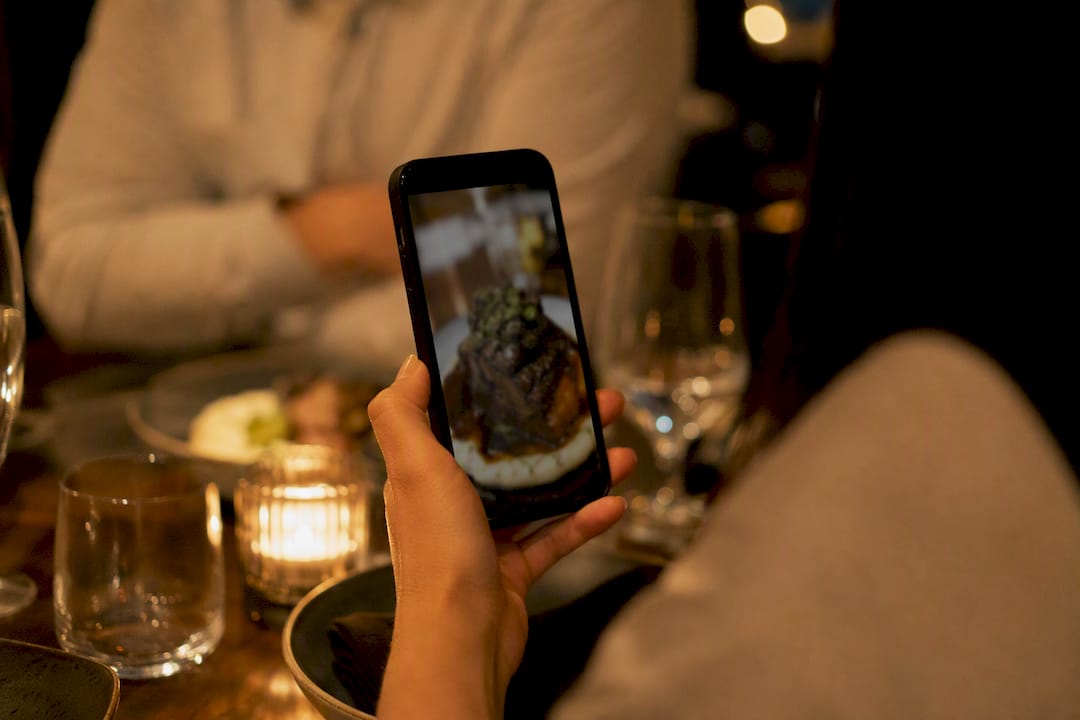
Build a simple habit around this. Screenshot strong guest posts (with permission) and drop them into your monthly newsletter under a “spotted at [restaurant name]” section. Pull a short, specific quote from a glowing review, three or four words that name a dish or moment, rather than a generic “great food, great service” line that could apply to any restaurant.
Social proof works best when it’s tied to a specific, ownable claim. “Guests keep asking for the recipe” reads as more credible than “our food is amazing” because it implies a pattern other people noticed, not just a marketing claim. If you’re running a loyalty program, mention redemption numbers in a newsletter aside, something like noting how many guests redeemed a reward last month, since specific numbers build more trust than vague enthusiasm ever will.
Ask permission before featuring a guest’s photo or name, even when it’s already public on social media. A quick reply to their tagged post asking “mind if we feature this in our newsletter?” takes thirty seconds and avoids an awkward situation later.
How Do You Design Restaurant Emails That Work on a Phone?
Most restaurant emails get opened on a phone while someone is deciding what to do for dinner in the next hour, not at a desk with time to scroll through paragraphs. Design for that moment, not for a designer’s monitor.
Keep your layout to a single column. Multi-column desktop layouts collapse awkwardly on small screens and force guests to pinch and zoom, which is often the exact moment they give up and delete the email instead.
Use one large, tappable call-to-action button, not three competing links crammed into a paragraph
Keep subject lines under 40 characters so they don’t truncate on a phone’s lock screen notification
Compress food photography so the email loads fast on a spotty restaurant Wi-Fi connection or cellular signal
Set body text large enough to read without zooming, generally 14 to 16 pixels minimum
Place the most important information, the offer, the date, the link, above the fold before any scrolling is required
Test every campaign on an actual phone before it goes out, not just in your email service provider’s preview pane. Previews frequently render differently than a guest’s actual inbox app, especially across Gmail, Apple Mail, and Outlook’s mobile clients. A five-minute test send catches broken image blocks and awkward button placement before hundreds of guests see the same mistake.
Why Should Your Email Program Connect to Your POS and Reservation System?
Manually exporting spreadsheets from your point-of-sale system to build campaigns is the fastest way to abandon an email program within a month. Integration between your POS, reservation platform, and email tool turns guest behavior into automatic triggers instead of a recurring chore.
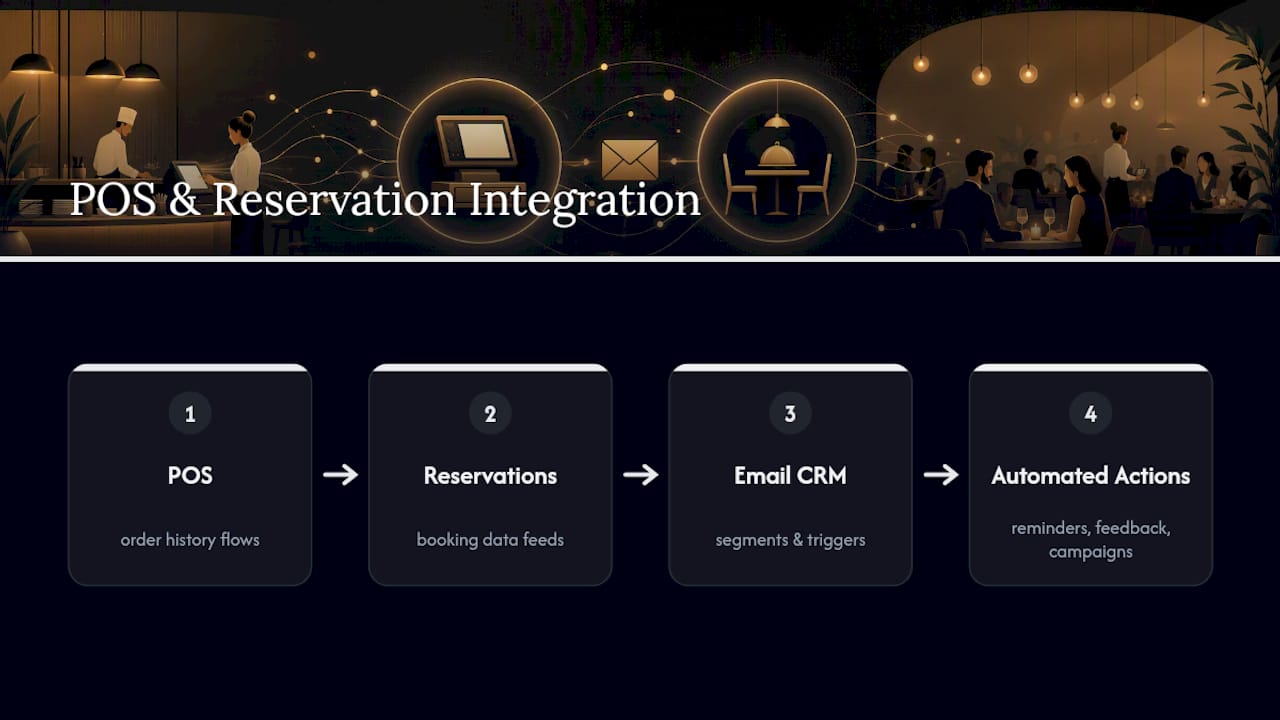
When your reservation system talks to your email platform, a confirmed booking can trigger a reminder sequence automatically, cutting down on no-shows without anyone on staff lifting a finger. The same connection lets you send a post-visit feedback request the morning after a table checks out, timed precisely instead of guessed at.
POS integration matters even more for segmentation. Order history flowing from your POS into your CRM is what makes “brunch versus dinner patron” or “hasn’t ordered the new seasonal special” segments possible in the first place, rather than relying on guesswork about who ordered what. Reservation data adds another layer: a guest who always books a table for four on Saturdays is a different marketing target than a solo weekday lunch regular, and that distinction only becomes usable when the systems share data automatically.
If your current setup requires manually reconciling three different exports before you can send a targeted campaign, that friction is very likely why campaigns aren’t going out as often as they should. Look at reservation management tools built to feed guest data directly into your marketing stack, since the integration itself often matters more than any single email template you send.
How Do You Promote Seasonal Menu Items Through Email?
A new seasonal dish needs a different email treatment than your regular menu, mostly because urgency is the entire selling point. If a dish is available indefinitely, there’s no reason for a guest to book this week instead of next month.
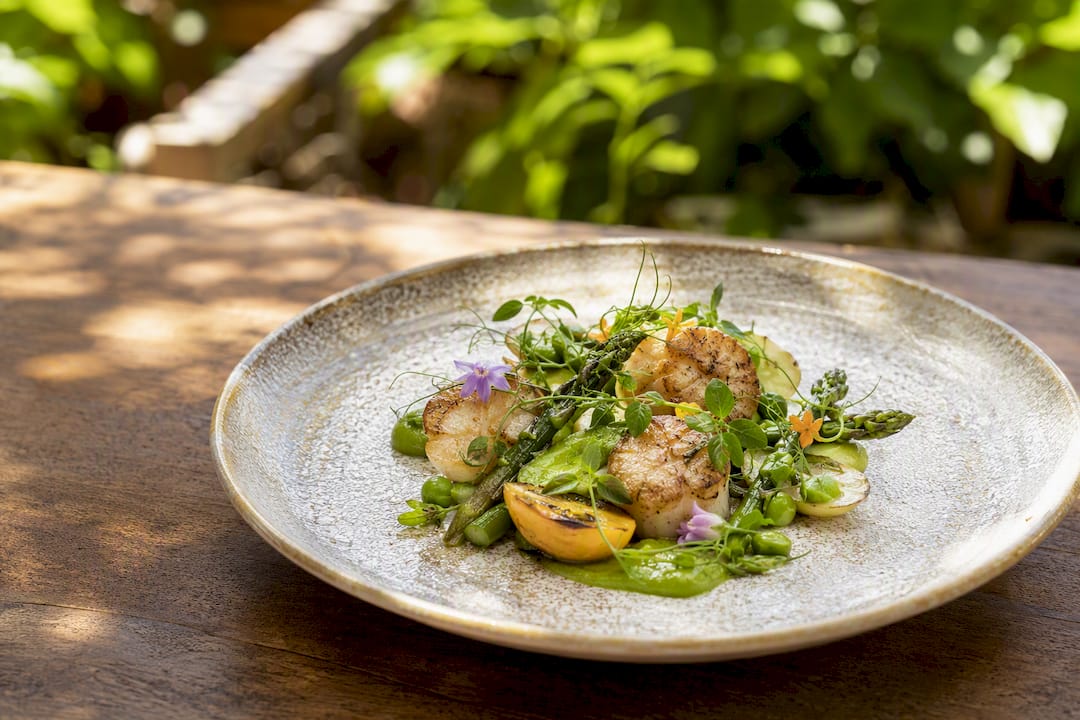
Lead with scarcity that’s actually true, not manufactured. If a special uses a seasonal ingredient with a real availability window, say so plainly: “Back for six weeks only while the season lasts.” Guests respond to honest urgency far more than to fake countdown timers that reset every campaign.
Sequence seasonal promotions the same way you’d sequence an event announcement: introduce the item with a strong photo and a short story about why it’s on the menu (a specific ingredient, a chef’s favorite, a nod to the season), then follow up closer to when the item might disappear. A mid-run reminder, sent a few weeks after launch, catches guests who missed the first announcement or meant to book and forgot.
Pair seasonal pushes with slow-night targeting. If Tuesdays are consistently quiet, position the seasonal special as available Tuesday through Thursday only, giving guests a specific reason to book on the night you actually need to fill. This is where segmentation and seasonal promotion overlap best: your frequent-diner segment gets first access, everyone else gets the general announcement a few days later.
What Do Successful Restaurant Email Campaigns Actually Look Like?
The pattern behind the strongest-performing restaurant campaigns isn’t flashy design, it’s disciplined restraint. Guides across the industry point to the same underlying behavior: restaurants that stick to a focused set of automations and a consistent, story-driven newsletter outperform restaurants sending frequent, generic discount blasts.
Content that treats subscribers like insiders, sharing a behind-the-scenes note from the kitchen, a vendor relationship story, or early access to a menu change, consistently drives more forwarding and repeat visits than straightforward discount-only messaging. Guests forward a good story to a friend.
The common thread across documented successful programs is sequencing, not volume. A well-timed birthday email with a genuinely simple redemption process outperforms a monthly blast to the entire list, because it arrives exactly when a guest is already planning to celebrate somewhere. A win-back email offering something specific (“the dish you always ordered is back”) converts better than a generic “we miss you” note precisely because it references something real about that guest’s history.
Restaurants that combine email with SMS for the most time-sensitive pieces, a same-day special or a reservation reminder, see stronger results than restaurants relying on either channel alone, since each channel plays to its own strength: email for depth and story, SMS for urgency and immediacy. Pairing the two rather than choosing one is where a lot of untapped performance sits for smaller operations.
What the Data Actually Tells Restaurant Owners to Do
Most advice on restaurant email marketing spends too much time on design polish and not enough on sequencing. The research behind this guide points somewhere less glamorous but more useful: the restaurants seeing real attributed revenue aren’t the ones with the prettiest templates, they’re the ones that got three automations running correctly and left them alone.
Conventional advice oversells newsletter creativity and undersells operational plumbing. A gorgeous newsletter sent to a list with no welcome automation and no domain authentication is a wasted effort before it even starts. The QR-to-CRM-to-automation pipeline matters more than any single subject line you’ll ever write, because it’s the difference between a program that runs itself and one that depends on someone remembering to hit send every week.
If you take one thing from this guide, prioritize the plumbing before the polish. Get the capture point right, get the three automations running, and only then spend serious time on newsletter voice and seasonal campaign creativity. The sequencing is the strategy.
Sources
Recommended
Comments